
Yesterday was the SharePoint end-of-support deadline. Today is the day it becomes real.

As of 14 July 2026, SharePoint Server 2016 and SharePoint Server 2019 have officially reached end of extended support. If your organisation is still running either version, nothing crashed overnight and no one locked you out. Your farm is still up, your sites still load, your documents are still there. That's exactly what makes SharePoint end of support easy to miss and dangerous to ignore.
You can edit text on your website by double clicking on a text box on your website. Alternatively, when you select a text box a settings menu will appear. your website by double clicking on a text box on your website. Alternatively, when you select a text box
What SharePoint end of support actually changed on 15 July 2026
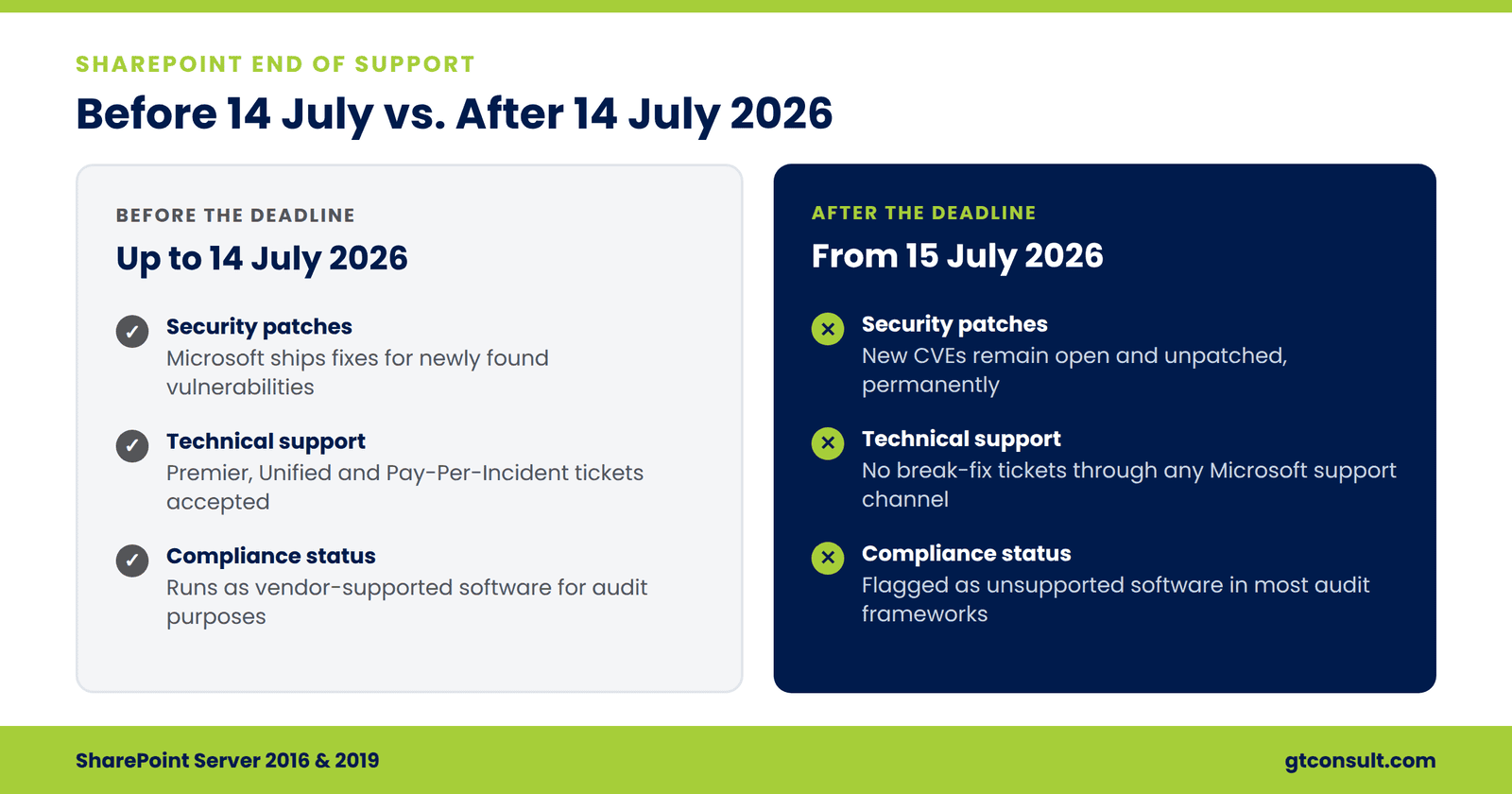
Microsoft has stopped shipping anything for SharePoint 2016 and 2019. Specifically, that means:
- No bug fixes or performance updates
- No technical support, not through Premier, Unified, or Pay-Per-Incident channels
- No official documentation updates on Microsoft Learn
Why an unsupported SharePoint environment is a real security risk
Threat actors monitor for newly disclosed vulnerabilities and actively scan the internet for unpatched SharePoint installations, often within hours of a CVE going public. A SharePoint farm is a large attack surface on its own, IIS, .NET, the search service, the user profile service, plus whatever custom solutions have been layered on over the years. Every one of those is now a standing target with no fix coming.
Compliance is the other side of this. HIPAA, SOC 2, PCI DSS, and similar frameworks generally treat unsupported production software as an audit finding. Several cyber insurance carriers have already started writing policy exclusions for incidents traced back to end-of-life software. If your SharePoint environment is central to how your business handles documents, workflows, or client data, this is no longer just an IT conversation.
What to do now that SharePoint 2016 and 2019 are unsupported
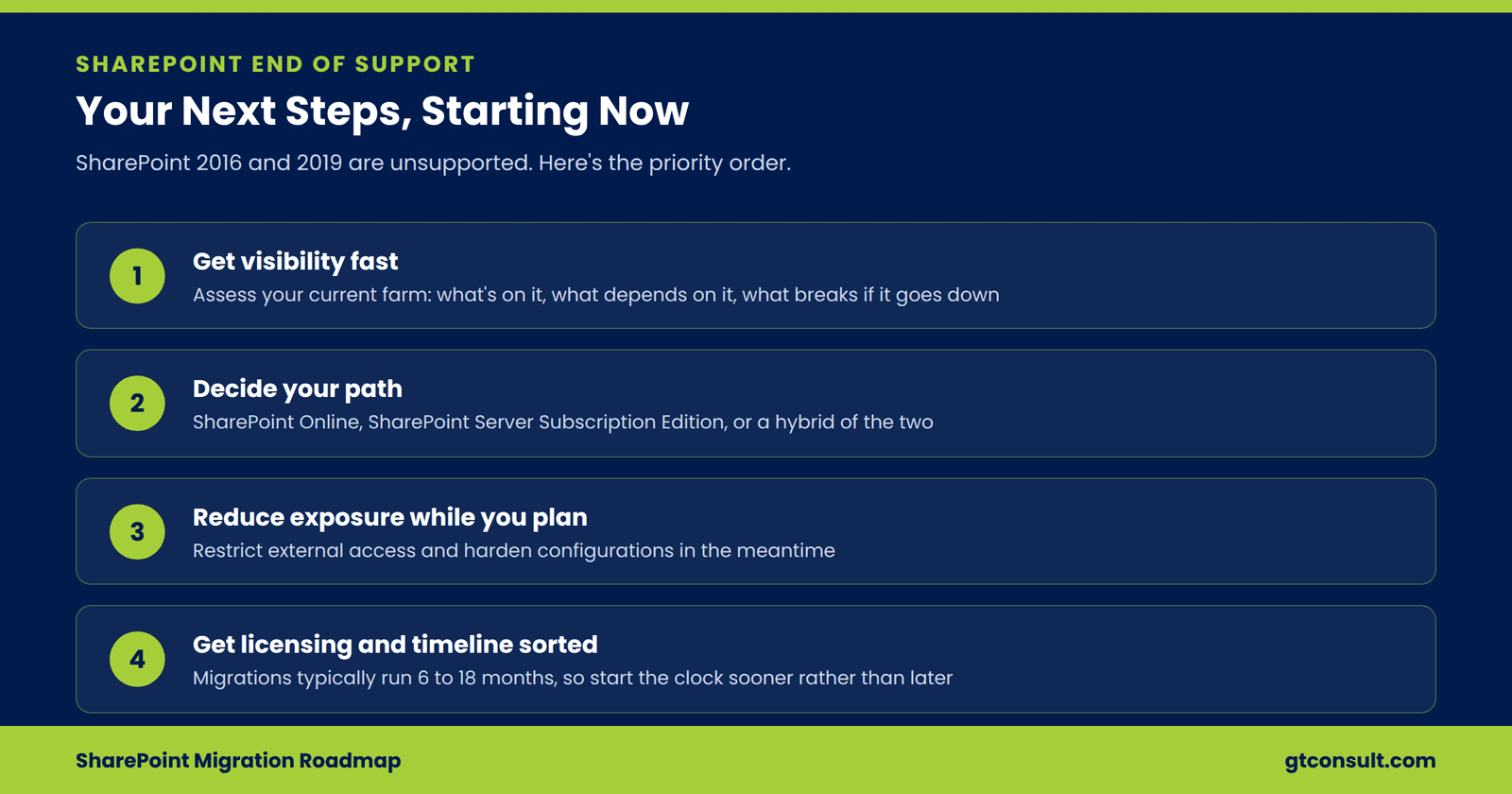
If you're still on 2016 or 2019, the priority list looks like this:
- Get visibility fast. Run an assessment of your current farm, what's on it, what depends on it, and what breaks if it goes down.
- Decide your path. Broadly, that's SharePoint Online in Microsoft 365, SharePoint Server Subscription Edition if you need to stay on-premises, or a hybrid of the two.
- Reduce exposure while you plan. Restrict external access where you can, and harden configurations in the meantime.
- Get the licensing and timeline sorted. Migrations typically run 6 to 18 months depending on complexity, so the sooner this starts, the more control you have over the process.
Get SharePoint migration help from GTconsult
We've spent this campaign walking through the deadline, the risks, and the migration paths in detail. If you're past the point of reading about it and ready to actually assess where you stand, that's where we can help. Our migration cost calculator is a quick way to get a sense of scope: