
A bucket with five small holes leaks slower than a bucket with one big hole. It still leaks though, and if you're only checking for the big hole, you'll miss all five small ones.
That's roughly the position most organisations' email security is in right now.

The Number That Doesn't Matter as Much as You'd Think
Between January and March 2026, Microsoft Threat Intelligence detected approximately 8.3 billion email-based phishing threats. Monthly volumes started at 2.9 billion in January and settled at 2.6 billion by March.
That's a genuinely large number. It's also roughly the same scale of phishing volume Microsoft has reported for several quarters running. The headline figure staying flat isn't the interesting part of this report. Where the attacks are landing is.
QR Code Phishing: The Fastest-Growing Vector
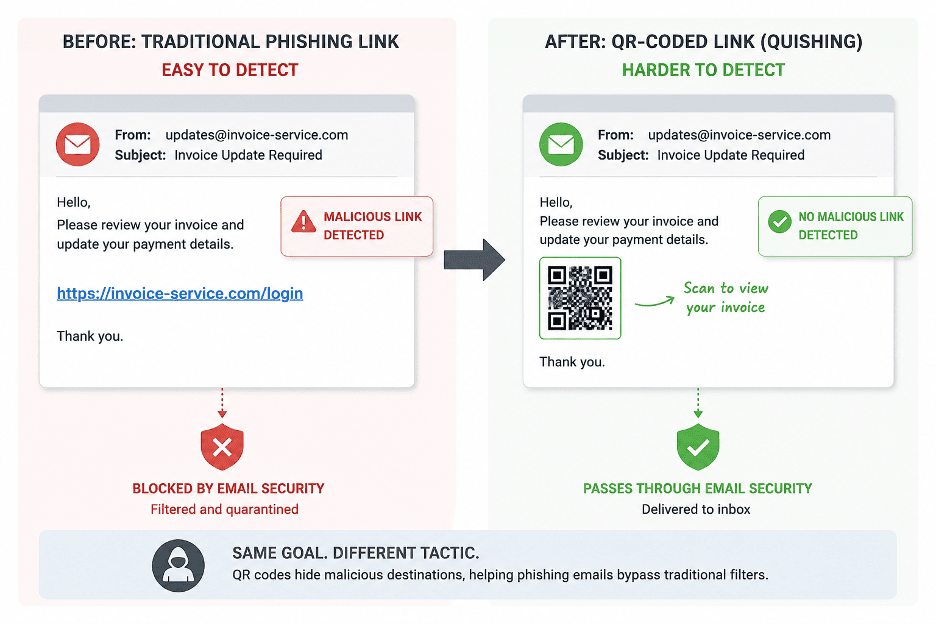
QR code phishing grew 146% over the quarter, from 7.6 million attacks in January to 18.7 million in March, the highest monthly volume Microsoft has observed in at least a year.
The mechanics are straightforward once you see them. Attackers embed a malicious QR code in an email, often inside a PDF attachment (70% of QR phishing was PDF-delivered by March). The link is encoded in the image, not in the email body as a clickable URL. Most email security filters scan URLs in the message text and headers. They don't reliably extract and scan URLs embedded inside an image.
The user receives the email, sees the QR code (often presented as a document verification step or an MFA prompt), and scans it with their phone. Their phone, typically outside the corporate security perimeter, opens a credential harvesting page. The user enters their credentials. The attacker has them.
This matters because the entire attack happens outside the corporate network, outside the managed browser, and outside whatever endpoint detection you've deployed on corporate devices. The phone becomes the unprotected attack surface.
CAPTCHA-Gated Phishing: Making Malicious Pages Look Legitimate
CAPTCHA-gated phishing surged 125% in March alone, reaching 11.9 million attacks, the highest monthly volume observed in the past year.
The technique adds a CAPTCHA or human-verification step before the phishing page loads. This does two things at once: it makes the page feel more legitimate to a human (“a real site would have a CAPTCHA”), and it prevents automated security scanners from reaching and analysing the actual phishing page behind it.
A real visitor solves the CAPTCHA and reaches the fake login page. An automated crawler gets stuck at the CAPTCHA wall and walks away. The phishing URL stays live and undetected for longer than it otherwise would.
Tycoon2FA: What a Takedown Actually Buys You
Microsoft, working with law enforcement and industry partners, disrupted the Tycoon2FA phishing-as-a-service platform during the quarter, which had previously dominated CAPTCHA-based attacks. The takedown led to a measurable, real decline in phishing volume tied to that specific platform.
It's a useful case study, and also a reminder of how this actually works. Platform-level takedowns have genuine, measurable impact. They're also rarely permanent. Threat actors shift to alternative platforms, adjust their tactics, and rebuild. A volume decline tied to one disruption is real, but it's not the same as the underlying threat disappearing.
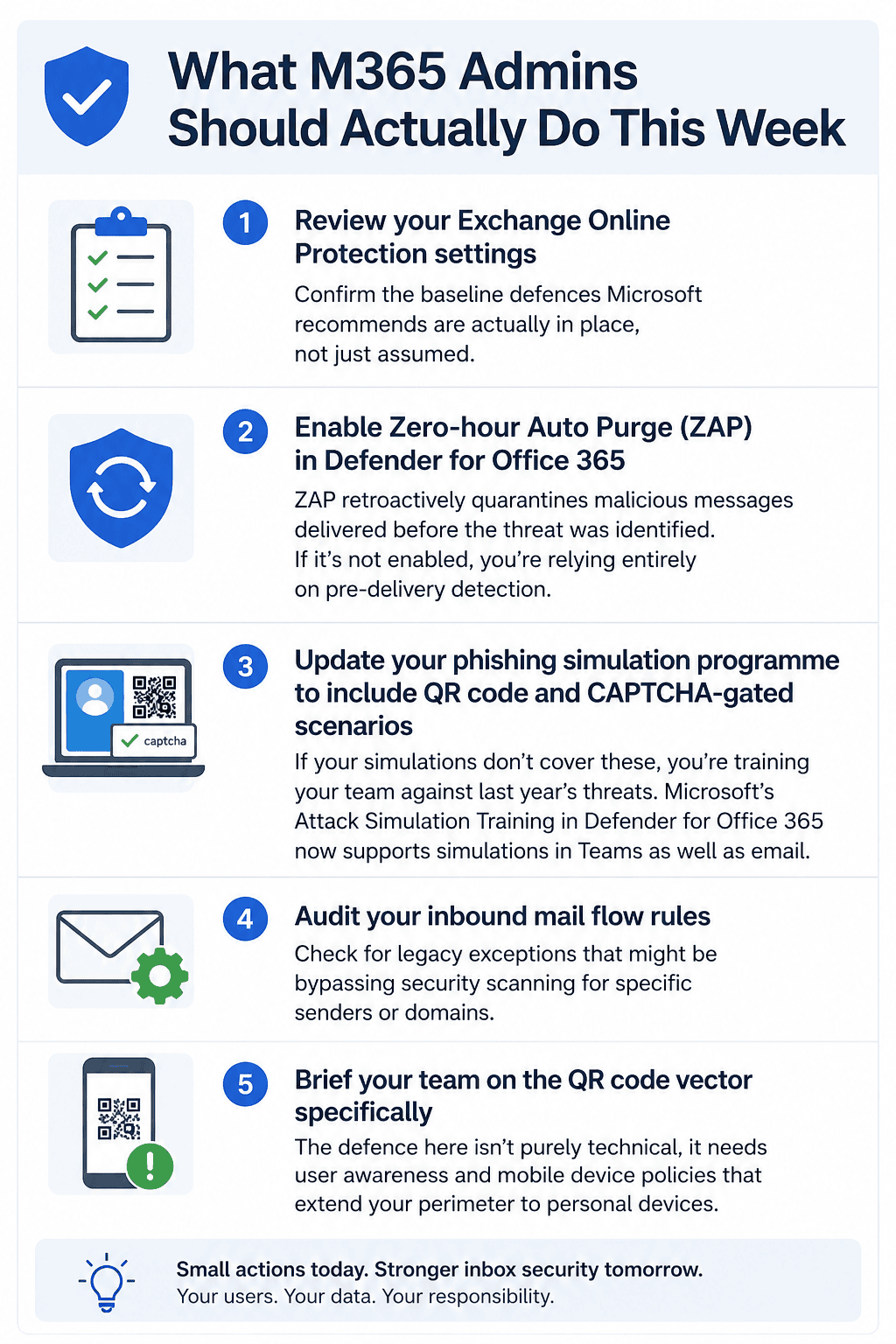
What M365 Admins Should Actually Do This Week
• Review your Exchange Online Protection settings and confirm the baseline defences Microsoft recommends are actually in place, not just assumed.
• Enable Zero-hour Auto Purge (ZAP) in Defender for Office 365. ZAP retroactively quarantines malicious messages delivered before the threat was identified. If it's not enabled, you're relying entirely on pre-delivery detection.
• Update your phishing simulation programme to include QR code and CAPTCHA-gated scenarios. If your simulations don't cover these, you're training your team against last year's threats. Microsoft's Attack Simulation Training in Defender for Office 365 now supports simulations in Teams as well as email.
• Audit your inbound mail flow rules for legacy exceptions that might be bypassing security scanning for specific senders or domains.
• Brief your team on the QR code vector specifically. The defence here isn't purely technical, it needs user awareness and mobile device policies that extend your perimeter to personal devices.
The Pattern Underneath All of This
The common thread across QR codes, CAPTCHA gates, and the rest is that attackers are investing more in psychology than in technology. They're not building more sophisticated malware. They're building more convincing delivery mechanisms that exploit trust: trust in physical-world verification, trust in website legitimacy, trust in organisational communication patterns.
Technical defences matter and they're listed above. But user awareness, an updated simulation programme, and a culture that makes it easy to report something suspicious are what actually close the gap between a new attack vector appearing and your organisation noticing it.
Frequently Asked Questions
If you want help reviewing your current email security configuration against these specific vectors, get in touch and we can help.