
The riskiest assumption in any big project isn't the technical one. It's believing it will be simpler than it actually is.
That's not a cynical observation, it's a documented, well-studied pattern with a name, and it shows up in Microsoft 365 rollouts, SharePoint migrations, and agentic AI builds as reliably as it does in construction, publishing, and government infrastructure.

The planning fallacy: it has a name, and it won something bigger than an argument
Psychologists Daniel Kahneman and Amos Tversky coined the term "planning fallacy" in 1979 to describe a specific, consistent human tendency: we underestimate the time, cost, and risk of a task, while overestimating its benefits, and we do this even when we have direct personal experience of being wrong about the exact same kind of task before. Kahneman later won the Nobel Prize in economics in part for this body of work.
The classic study illustrating it is almost funny. Psychology students were asked to estimate how long their senior thesis would take. The average guess was under 34 days. Only around 30% of them actually finished within their own predicted timeframe, despite having written papers before and knowing, going in, that they tend to run long. Knowing the pattern didn't stop them from repeating it.
Why the planning fallacy doesn't fix itself
The mechanism researchers point to is what's called the "inside view." When people plan, they focus on the specifics of the project in front of them, the exact steps, the specific team, the particular timeline, rather than on how similar projects have actually gone in the past. That inside view feels more rigorous, because it's detailed and specific to your situation. It's also exactly what produces the underestimate, because it quietly excludes all the ways things went wrong on comparable projects that weren't yours.
The documented fix is called the "outside view," deliberately setting the specifics of your project aside and asking instead: how did this category of project actually go, across everyone who's attempted it. That's a harder habit than it sounds, because the inside view always feels more relevant to your case. It rarely is.
What this looks like in a SharePoint migration
GTconsult Support Manager Barend Olivier put it plainly in a recent migration webinar, describing the assumption he sees most often before things go wrong: "I'm just going to copy my data, update a few little locations, my users are going to log in, and boom, we're done." That's the inside view in one sentence, a plan built on the specific, simple version of the task, rather than on how migrations like this one have actually gone before.
It's not a one-off line either. In a separate webinar, this one on the SharePoint 2016 and 2019 end-of-support deadline, Barend made the identical point independently, months apart and unprompted: "Migrations are often incredibly underestimated. Most people view migrations as, I'm going to take this, copy it, and I'm going to plop it there. Hunky dory."
Two different sessions, the same inside-view mistake showing up as the default assumption every time, which is itself a small piece of outside-view evidence: this isn't one person's pet observation, it's a pattern consistent enough to repeat on its own.
The outside view, the pattern that actually shows up across real migrations, looks different: permissions don't carry over automatically, since file shares and SharePoint Online govern access in fundamentally different ways. Metadata doesn't survive a straight copy, so SharePoint ends up storing files without organising them the way it's designed to. A migration isn't a single event either, it's a project with a timeline, which means a delta run is needed to catch every change made to the source environment while the main migration was happening. And testing isn't optional afterwards, confirming permissions, metadata, and workflows all actually work, not just that the file count matches.
None of that is exotic information. It's just the outside view, the version of the plan built from how these projects actually go rather than how this one looks from the inside.
What the outside view actually looks like, in numbers
This is what a genuine reference class looks like in practice, rather than an abstract idea. Based on GTconsult's own migration work, rough timelines by environment size: under 50 users and 500GB of data sits at around a couple of weeks. 50 to 300 users, 500GB to 5TB, runs 1 to 3 months. 300 or more users, 5TB or more, runs 3 to 6 months minimum, and that's before accounting for custom functionality, classic web parts, or on-premises workflows that need rebuilding into Power Automate.
None of those numbers come from guessing at your specific project. They come from having run enough migrations to know what actually tends to happen, which is exactly the outside view this whole piece is about.
Taking the outside view on purpose
The planning fallacy doesn't go away because you've heard of it, the psychology students knew they tended to run long and still underestimated. What actually helps is building the outside view into the plan deliberately, asking someone who's run this category of project many times what actually tends to happen, rather than reasoning from your own specific case alone. That's most of what a good delivery partner is actually for: not extra hands, a reference class of every time this has gone wrong before, applied to your project before it does.
The same pattern shows up well beyond SharePoint migrations. It's just as true of a Power Apps build, a Microsoft Fabric implementation, or an agentic AI rollout, teams plan from the specific project in front of them rather than from how similar projects in that category have actually gone. Our Copilot Readiness Checklist is built entirely from that outside view for Copilot and Microsoft 365 adoption specifically, and it's the same discipline we bring to Power Apps, Fabric, and agentic AI builds too.
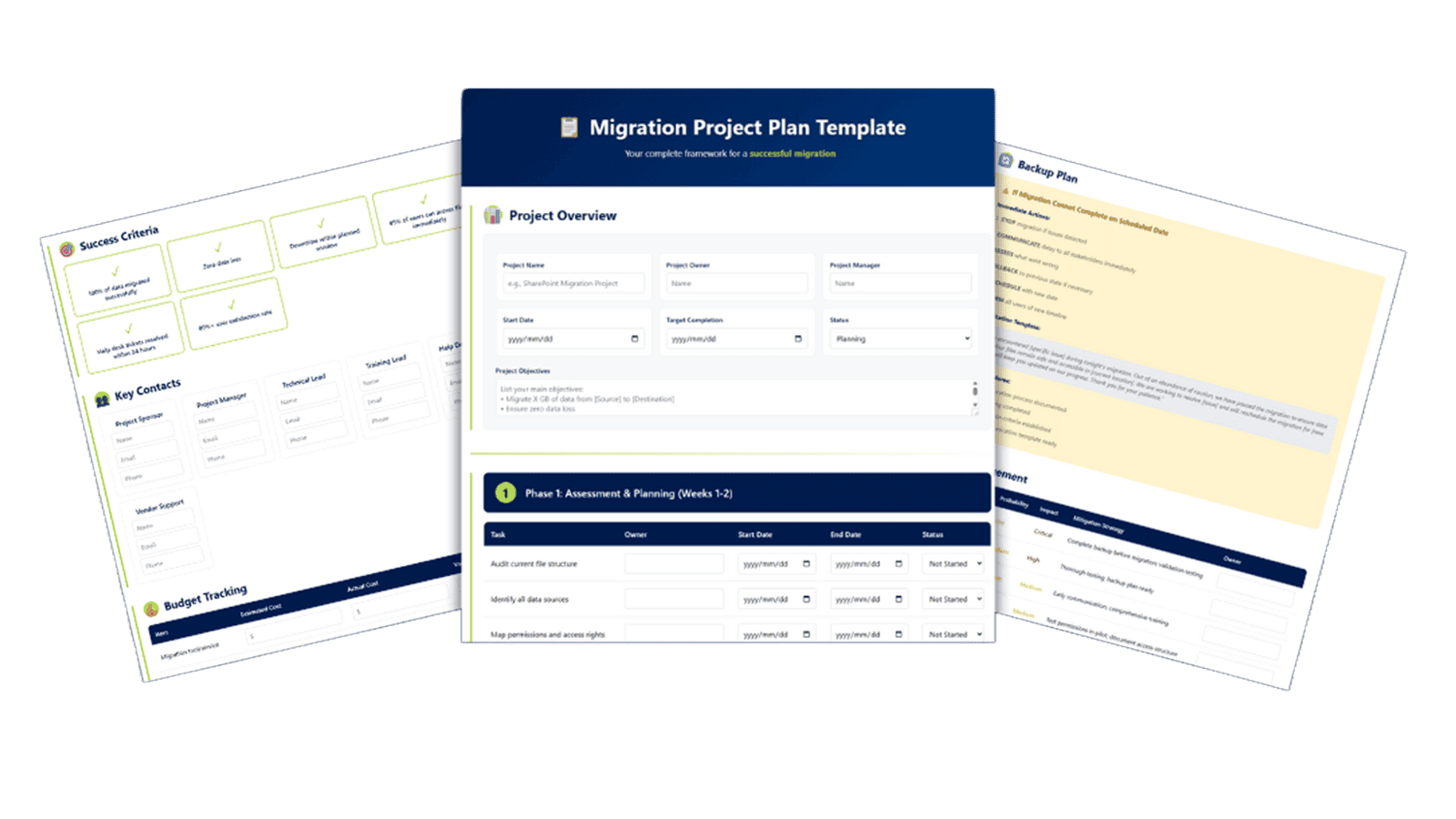
If you'd rather start with a plan already built from that outside view than one drafted from scratch, we've put together a Migration Project Plan Template covering assessment through 30-day post-migration review, including the risk table, communication timeline, and rollback plan most first-time plans leave out.
Frequently asked questions
Planning a migration and want the outside view before you start? Get in touch and we'll tell you what actually tends to happen.